<p><span data-preserver-spaces="true">A smart home is no longer a luxury item that only early adopters talk about. In </span><strong><span data-preserver-spaces="true">2026</span></strong><span data-preserver-spaces="true">, it has become a practical way to make everyday life easier, safer, and more efficient. If you have ever wanted your lights to turn on automatically, your door to lock by itself, or your home to stay comfortable without constant manual adjustments, then a smart home system can help.</span></p>
<p><span data-preserver-spaces="true">At its core, a smart home system connects your devices so they can work together. That may sound technical, but the idea is simple: your home starts responding to your habits, your schedule, and even your voice. You can control lights, locks, cameras, thermostats, speakers, and many other devices from a single app or smart assistant.</span></p>
<h4><span data-preserver-spaces="true">Understanding Smart Home Systems<img class="alignnone size-full wp-image-7154" src="https://comeawayhome.co.uk/wp-content/uploads/2026/06/32d1f975-f38f-4050-9._imresizer-ezgif.com-jpg-to-webp-converter.webp" alt="how to install smart system at home" width="1150" height="750" /></span></h4>
<p><span data-preserver-spaces="true">A <a href="https://comeawayhome.co.uk/saving-money-on-smart-home-installation/">smart home</a> system is a group of connected devices that can talk to each other and respond to your commands. Some devices work through an app. Others use voice control. Many can also be automated, meaning they act on their own according to rules you create.</span></p>
<p><span data-preserver-spaces="true">The heart of the system is usually a </span><strong><span data-preserver-spaces="true">smart hub</span></strong><span data-preserver-spaces="true"> or a central app. This hub acts like the coordinator. It helps your lights, locks, cameras, sensors, and other devices work together instead of separately. Without that connection, each device may feel useful but limited.</span></p>
<h4><span data-preserver-spaces="true">What Makes a Smart Home Ecosystem?</span></h4>
<p><span data-preserver-spaces="true">A smart home ecosystem is the larger setup that includes devices, an app, a hub, and rules that tie everything together. Think of it as a small digital network inside your house. Once your devices are part of the same ecosystem, you can control many of them from one place.</span></p>
<p><span data-preserver-spaces="true">For example, when you say, “Good night,” your system can turn off the lights, lock the doors, lower the thermostat, and switch on a security camera mode. That kind of smooth coordination is what makes smart homes so appealing.</span></p>
<h4><span data-preserver-spaces="true">Core Components You Should Know</span></h4>
<p><span data-preserver-spaces="true">The most common parts of a smart home system include:</span></p>
<ul>
<li><strong><span data-preserver-spaces="true">Smart hub or controller</span></strong></li>
<li><strong><span data-preserver-spaces="true">Smart lights and switches</span></strong></li>
<li><strong><span data-preserver-spaces="true">Smart locks</span></strong></li>
<li><strong><span data-preserver-spaces="true">Security cameras</span></strong></li>
<li><strong><span data-preserver-spaces="true">Thermostats</span></strong></li>
<li><strong><span data-preserver-spaces="true">Motion, door, and temperature sensors</span></strong></li>
<li><strong><span data-preserver-spaces="true">Smart speakers or voice assistants</span></strong></li>
</ul>
<p><span data-preserver-spaces="true">Each part has a specific job. Lights help with comfort and energy use. Locks and cameras support security. Thermostats improve climate control. Sensors help your system respond to movement, open doors, or detect changes in temperature.</span></p>
<h4><span data-preserver-spaces="true">Types of Smart Home Systems</span></h4>
<p><span data-preserver-spaces="true">There are two main ways to build a smart home.</span></p>
<p><strong><span data-preserver-spaces="true">Fully integrated systems</span></strong><span data-preserver-spaces="true"> are designed to work together from the start. These setups are often easier to manage because all devices belong to the same ecosystem. They may cost more at first, but they usually create a smoother experience.</span></p>
<p><strong><span data-preserver-spaces="true">DIY smart setups</span></strong><span data-preserver-spaces="true"> are more flexible. You choose your own devices and connect them yourself. This approach is often more affordable and gives you more control over what you buy. It is a great option if you want to start small and build over time.</span></p>
<h4><span data-preserver-spaces="true">Popular Smart Home Ecosystems</span></h4>
<p><span data-preserver-spaces="true">Today, three major ecosystems stand out:</span></p>
<p><span data-preserver-spaces="true">EcosystemBest ForMain StrengthPossible Limitation</span></p>
<p><strong><span data-preserver-spaces="true">Amazon Alexa</span></strong><span data-preserver-spaces="true"> People who want broad device support Works with many brands Can feel spread out if devices come from different companies </span></p>
<p><strong><span data-preserver-spaces="true">Google Home</span></strong><span data-preserver-spaces="true"> Users who like simple voice control and Google services Easy routines and strong voice support Some advanced device support may vary </span></p>
<p><strong><span data-preserver-spaces="true">Apple HomeKit</span></strong><span data-preserver-spaces="true"> Apple users who want tighter privacy and smoother integration Clean design and strong security Works best with Apple devices and approved accessories </span></p>
<p><span data-preserver-spaces="true">Choosing the right ecosystem matters because it affects how easily your devices connect and how smoothly your home will run.</span></p>
<h4><span data-preserver-spaces="true">Planning Before Installation</span></h4>
<p><span data-preserver-spaces="true">Before you buy anything, you need a plan. This is one of the most important parts of learning </span><strong><span data-preserver-spaces="true">how to install <a href="https://comeawayhome.co.uk/how-much-does-it-cost-to-build-a-4000-sq-ft-house/">smart system at home</a></span></strong><span data-preserver-spaces="true"> successfully. A smart home works best when you choose devices based on real needs, not just excitement.</span></p>
<h4><span data-preserver-spaces="true">Assess Your Home Needs</span></h4>
<p><span data-preserver-spaces="true">Start by asking yourself what you want the system to do.</span></p>
<p><span data-preserver-spaces="true">Do you want better </span><strong><span data-preserver-spaces="true">security</span></strong><span data-preserver-spaces="true">? Then cameras, door sensors, and smart locks should be a priority.</span></p>
<p><span data-preserver-spaces="true">Do you want more </span><strong><span data-preserver-spaces="true">lighting control</span></strong><span data-preserver-spaces="true">? Then smart bulbs, switches, and motion sensors may be the right place to begin.</span></p>
<p><span data-preserver-spaces="true">Do you want better </span><strong><span data-preserver-spaces="true">climate control</span></strong><span data-preserver-spaces="true">? Then a smart thermostat can make a big difference.</span></p>
<p><span data-preserver-spaces="true">If you know your main goal, you can avoid wasting money on devices you do not need yet.</span></p>
<h4><span data-preserver-spaces="true">Set a Realistic Budget</span></h4>
<p><span data-preserver-spaces="true">A smart home system can be simple or advanced, depending on your budget. That is why it helps to decide how much you want to spend before shopping.</span></p>
<p><span data-preserver-spaces="true">Start with the essentials first. Many people begin with a smart speaker, a few bulbs, and one or two security devices. After that, they add more pieces over time.</span></p>
<p><span data-preserver-spaces="true">This step-by-step approach is easier on your wallet and easier to manage.</span></p>
<h4><span data-preserver-spaces="true">Wired vs Wireless Systems</span></h4>
<p><span data-preserver-spaces="true">Another choice you need to make is whether your system will be </span><strong><span data-preserver-spaces="true">wired</span></strong><span data-preserver-spaces="true"> or </span><strong><span data-preserver-spaces="true">wireless</span></strong><span data-preserver-spaces="true">.</span></p>
<p><strong><span data-preserver-spaces="true">Wired systems</span></strong><span data-preserver-spaces="true"> are often more stable and may work better in larger homes or in setups that need stronger reliability. However, they usually take more time and skill to install.</span></p>
<p><strong><span data-preserver-spaces="true">Wireless systems</span></strong><span data-preserver-spaces="true"> are the most common choice for beginners. They are easier to install, easier to move, and often work well through mobile apps. If you want a simpler path, wireless is usually the better place to start.</span></p>
<h4><span data-preserver-spaces="true">Check Your Wi-Fi Strength</span></h4>
<p><span data-preserver-spaces="true">Your Wi-Fi is the backbone of your smart home. If your internet signal is weak, your devices may lag, disconnect, or respond slowly.</span></p>
<p><span data-preserver-spaces="true">Walk through your home and check where the signal is strongest and weakest. If some rooms have poor coverage, consider improving your router placement or using a mesh network. A smart home should feel smooth, not frustrating.</span></p>
<h4><span data-preserver-spaces="true">Make Sure Devices Are Compatible</span></h4>
<p><span data-preserver-spaces="true">Compatibility is one of the most common problems people face. A device may look great online, but that does not mean it will work with your chosen ecosystem.</span></p>
<p><span data-preserver-spaces="true">Before buying, check whether the product supports your hub or assistant. If you are using Alexa, Google Home, or Apple HomeKit, make sure your devices are listed as compatible with that system.</span></p>
<h4><span data-preserver-spaces="true">Mistakes to Avoid Before You Start</span></h4>
<p><span data-preserver-spaces="true">Many people rush into smart home installation and later regret it. Try to avoid these common mistakes:</span></p>
<ul>
<li><span data-preserver-spaces="true">Buying devices before checking compatibility</span></li>
<li><span data-preserver-spaces="true">Ignoring Wi-Fi quality</span></li>
<li><span data-preserver-spaces="true">Starting with too many gadgets at once</span></li>
<li><span data-preserver-spaces="true">Choosing devices from too many different ecosystems</span></li>
<li><span data-preserver-spaces="true">Forgetting to plan where devices will be placed</span></li>
</ul>
<p><span data-preserver-spaces="true">A little planning now can save you a lot of time later.</span></p>
<h4><span data-preserver-spaces="true">Essential Equipment Needed</span></h4>
<p><span data-preserver-spaces="true">To build a smart home system, you need the right tools and devices. The exact list will depend on your goals, but these are the most common items.</span></p>
<h4><span data-preserver-spaces="true">Smart Hub or Voice Assistant</span></h4>
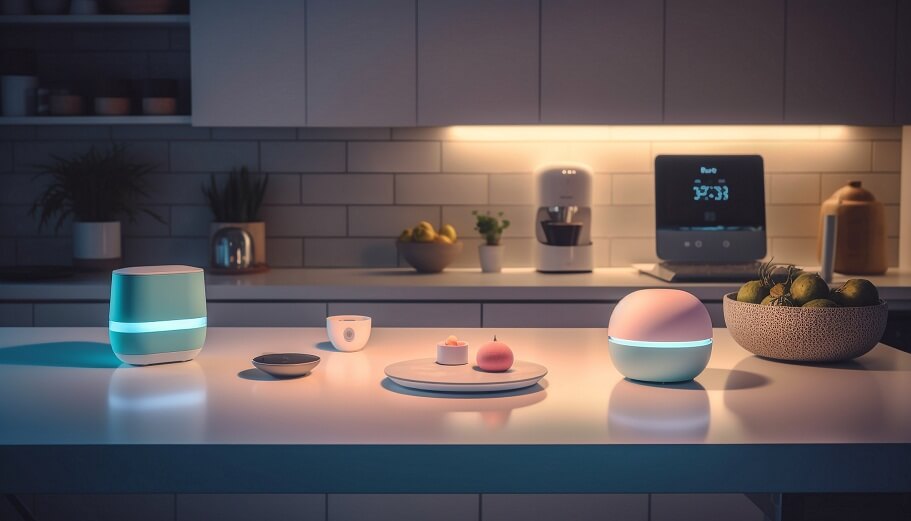
<p><span data-preserver-spaces="true">The smart hub is the center of your system. It connects your devices and helps them work together. In many homes, the hub is part of a voice assistant setup such as Alexa, Google Home, or Apple HomeKit.</span></p>
<p><span data-preserver-spaces="true">Some systems use a physical hub. Others rely mostly on a phone app and cloud connection. Either way, this piece is usually the first thing you should set up.</span></p>
<h4><span data-preserver-spaces="true">Smart Speaker or Controller</span></h4>
<p><span data-preserver-spaces="true">A smart speaker makes voice control easy. You can ask it to turn on lights, play music, check the weather, or lock connected devices. Even if you prefer using an app, a smart speaker adds convenience.</span></p>
<h4><span data-preserver-spaces="true">Smart Bulbs and Switches</span></h4>
<p><span data-preserver-spaces="true">Smart bulbs let you control brightness, color, and timing. Smart switches replace standard wall switches and give you more direct control over lighting. These are some of the easiest and most useful devices to start with.</span></p>
<h4><span data-preserver-spaces="true">Smart Security Cameras</span></h4>
<p><span data-preserver-spaces="true">Cameras help you monitor entrances, outdoor spaces, and busy indoor areas. They can send alerts when motion is detected and help you check your home while you are away.</span></p>
<h4><span data-preserver-spaces="true">Smart Locks</span></h4>
<p><span data-preserver-spaces="true">Smart locks make entry and access easier. You can lock or unlock doors from your phone, use codes instead of keys, and receive notifications when someone enters.</span></p>
<h4><span data-preserver-spaces="true">Sensors</span></h4>
<p><span data-preserver-spaces="true">Sensors are small but powerful. They can detect motion, open doors and windows, and respond to temperature changes and more. These devices help your system respond automatically rather than waiting for you to notice something.</span></p>
<h4><span data-preserver-spaces="true">Reliable Internet and App Setup</span></h4>
<p><span data-preserver-spaces="true">You also need a strong internet connection and the correct mobile apps. Most smart devices need an app for setup, updates, and daily use. Without that, the system will not function properly.</span></p>
<h4><span data-preserver-spaces="true">Step-by-Step Guide: How to Install Smart System at Home</span></h4>
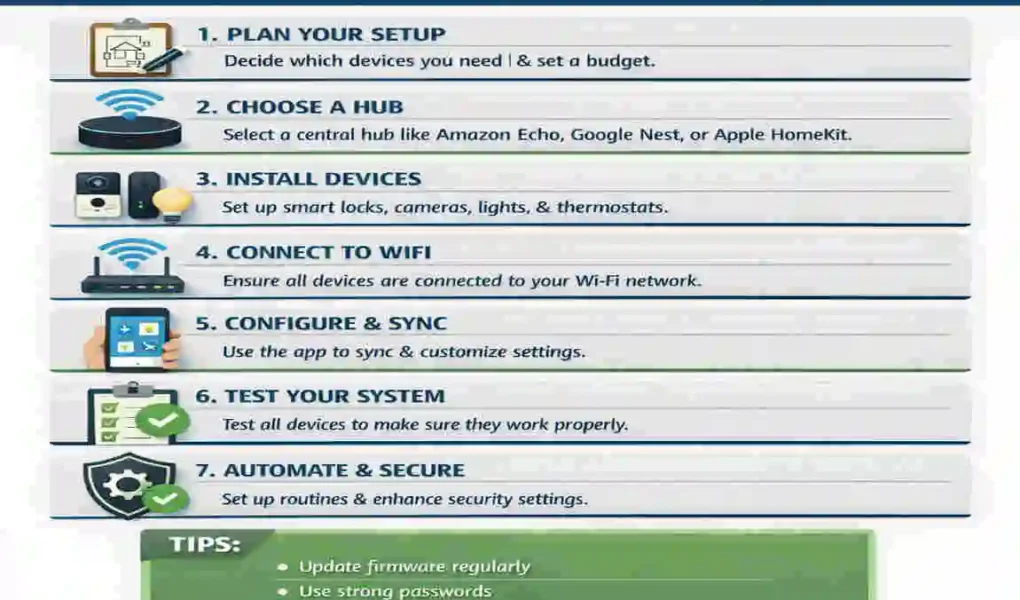
<p><span data-preserver-spaces="true">Now, let us move on to the practical part. This is the part where your plan becomes a working system. Follow these steps one by one to install everything in a calm, organized way.</span></p>
<h4><span data-preserver-spaces="true"> Set Up Your Smart Hub</span></h4>
<p><span data-preserver-spaces="true">Start with the central system. Download the app for your chosen ecosystem, such as Amazon Alexa or Google Home. If you are using Apple devices, open the Home app on your iPhone or iPad.</span></p>
<p><span data-preserver-spaces="true">Connect the hub or smart assistant to your Wi-Fi. Follow the app instructions carefully. You will usually need to sign in, choose your home name, and set your location. These settings matter because they help the system determine when to run routines such as sunset lighting or temperature changes.</span></p>
<p><span data-preserver-spaces="true">Take a few minutes to explore the app. Get familiar with menus, device groups, and automation options. This will make the rest of the process much easier.</span></p>
<h4><span data-preserver-spaces="true"> Install Smart Lighting System</span></h4>
<p><span data-preserver-spaces="true"><a href="https://comeawayhome.co.uk/impact-lighting-design-home/">Lighting</a> is often the easiest place to begin. You can replace traditional bulbs with smart bulbs, or install smart switches to control existing light fixtures.</span></p>
<p><span data-preserver-spaces="true">Once installed, connect the lights to the app. Give each one a clear name, such as “Kitchen Light” or “Bedroom Lamp.” This makes voice control much easier.</span></p>
<p><span data-preserver-spaces="true">You can also create lighting groups. For example, you can group all living room lights. That way, you can turn them on or off with one command.</span></p>
<p><span data-preserver-spaces="true">This is also a good time to create simple routines. You might set the lights to turn on in the evening and dim at bedtime.</span></p>
<h4><span data-preserver-spaces="true"> Set Up Smart Security Devices</span></h4>
<p><span data-preserver-spaces="true">Security devices are the next important step. Place cameras at entry points, driveways, or areas you want to monitor. Make sure they have a clear view and are not blocked by furniture, plants, or walls.</span></p>
<p><span data-preserver-spaces="true">If you are installing a smart lock, follow the manufacturer’s instructions carefully. Most smart locks replace the inside part of your door hardware while keeping the outside appearance simple.</span></p>
<p><span data-preserver-spaces="true">Once devices are connected, turn on alerts. You may want notifications for motion, door activity, or unexpected access. This gives you faster awareness and more peace of mind.</span></p>
<h4><span data-preserver-spaces="true"> Add a Smart Thermostat</span></h4>
<p><span data-preserver-spaces="true">If your home setup supports it, a smart thermostat can help reduce waste and improve comfort. These devices learn your habits and automatically adjust heating or cooling.</span></p>
<p><span data-preserver-spaces="true">Install the thermostat according to the instructions for your HVAC system. Because this part may involve electrical wiring, some homeowners prefer professional help.</span></p>
<p><span data-preserver-spaces="true">After installation, calibrate the temperature settings. Set your comfort level, schedule, and energy-saving preferences. Over time, your thermostat can help reduce bills while keeping your home pleasant.</span></p>
<h4><span data-preserver-spaces="true"> Connect All Devices to One System</span></h4>
<p><span data-preserver-spaces="true">A smart home works best when devices are connected within a single ecosystem. Once your lights, locks, camera, thermostat, and sensors are installed, add them to the same app or hub.</span></p>
<p><span data-preserver-spaces="true">This step gives you true control. You can build routines such as:</span></p>
<ul>
<li><strong><span data-preserver-spaces="true">Away mode</span></strong><span data-preserver-spaces="true">: locks doors, turns off lights, and activates cameras</span></li>
<li><strong><span data-preserver-spaces="true">Night mode</span></strong><span data-preserver-spaces="true">: lowers lights, locks doors, and adjusts temperature</span></li>
<li><strong><span data-preserver-spaces="true">Home arrival mode</span></strong><span data-preserver-spaces="true">: turns on lights, opens selected features, and prepares the house for your return</span></li>
</ul>
<p><span data-preserver-spaces="true">These routines save time and reduce daily effort. Instead of managing each device one by one, your home starts doing the work for you.</span></p>
<h4><span data-preserver-spaces="true">Test the Entire System</span></h4>
<p><span data-preserver-spaces="true">Testing is the final step and very important. Do not skip it.</span></p>
<p><span data-preserver-spaces="true">Check whether every device connects properly. Try voice commands if you use a smart speaker. Test routines and automation rules. Walk through the home and make sure the cameras, sensors, and locks respond as expected.</span></p>
<p><span data-preserver-spaces="true">If something feels off, fix it now. It is much easier to adjust a setting during setup than after you are already depending on the system every day.</span></p>
<h4><span data-preserver-spaces="true">Smart Automation Setup</span></h4>
<p><span data-preserver-spaces="true">Smart automation is what turns a group of devices into a truly helpful home. Instead of waiting for manual input, automation lets your system react to time, motion, location, and other triggers.</span></p>
<h4><span data-preserver-spaces="true">What Smart Automation Means</span></h4>
<p><span data-preserver-spaces="true">Automation means that one action starts another without you having to do anything extra. For example, when the sun goes down, your porch light can turn on automatically. When you leave home, your door can lock itself. When you are back inside, your thermostat can return to your preferred temperature.</span></p>
<p><span data-preserver-spaces="true">This is not just about convenience. It is also about building habits into your home so the system supports your lifestyle.</span></p>
<h4><span data-preserver-spaces="true">Examples of Helpful Automations</span></h4>
<p><span data-preserver-spaces="true">A few simple automations can make daily life easier:</span></p>
<ul>
<li><span data-preserver-spaces="true">Lights turning on at sunset</span></li>
<li><span data-preserver-spaces="true">Front door locking after a certain time</span></li>
<li><span data-preserver-spaces="true">AC adjusting when no one is home</span></li>
<li><span data-preserver-spaces="true">Bedroom lights dimming at night</span></li>
<li><span data-preserver-spaces="true">Motion sensors turning on hallway lights when someone walks through</span></li>
</ul>
<p><span data-preserver-spaces="true">These small changes may seem minor, but together they create a much smoother living experience.</span></p>
<h4><span data-preserver-spaces="true">Setting Up Routines in Popular Systems</span></h4>
<p><span data-preserver-spaces="true">In </span><strong><span data-preserver-spaces="true">Google Home</span></strong><span data-preserver-spaces="true">, routines can be triggered by time, voice, or actions like leaving the house. In </span><strong><span data-preserver-spaces="true">Apple HomeKit</span></strong><span data-preserver-spaces="true">, you can create scenes and automations that respond to your presence, the time of day, or specific sensor changes.</span></p>
<p><span data-preserver-spaces="true">The goal is not to build complicated rules right away. Start simple. Add more only when you understand how each part works.</span></p>
<h4><span data-preserver-spaces="true">Why Automation Helps Daily Life</span></h4>
<p><span data-preserver-spaces="true">Automation saves time. It also reduces forgotten tasks. You no longer need to wonder whether you locked the door or left a light on.</span></p>
<p><span data-preserver-spaces="true">It can also help with energy use. Devices only run when needed. That means less waste and, in many cases, lower bills.</span></p>
<h4><span data-preserver-spaces="true">Common Installation Mistakes to Avoid</span></h4>
<p><span data-preserver-spaces="true">Even a good smart home setup can run into problems if the installation is rushed. Here are the mistakes you should watch out for.</span></p>
<h4><span data-preserver-spaces="true">Weak Wi-Fi Coverage</span></h4>
<p><span data-preserver-spaces="true">A weak signal causes delays, dropped connections, and unreliable performance. If your system depends on Wi-Fi, your<a href="https://comeawayhome.co.uk/smart-home-automation-in-the-uk-top-10-ideas-for-2025/"> home network</a> must be strong enough to support it.</span></p>
<h4><span data-preserver-spaces="true">Mixing Incompatible Ecosystems</span></h4>
<p><span data-preserver-spaces="true">You can sometimes mix brands, but not all devices work smoothly together. If one device uses Alexa and another only works with a different platform, your setup may feel messy.</span></p>
<h4><span data-preserver-spaces="true">Overloading One Network</span></h4>
<p><span data-preserver-spaces="true">Too many devices on one weak router can slow everything down. If your home has many smart products, your network may need an upgrade.</span></p>
<h4><span data-preserver-spaces="true">Skipping Firmware Updates</span></h4>
<p><span data-preserver-spaces="true">Updates matter. They fix bugs, improve performance, and sometimes add security patches. If you ignore them, your system may not work as well as it should.</span></p>
<h4><span data-preserver-spaces="true">Poor Device Placement</span></h4>
<p><span data-preserver-spaces="true">Placement is especially important for cameras and sensors. A camera aimed too high or a motion sensor placed in the wrong area can miss important activity. Always think carefully about where each device should go.</span></p>
<h4><span data-preserver-spaces="true">Smart Home Security and Privacy Tips</span></h4>
<p><span data-preserver-spaces="true">A smart home is helpful, but it also needs protection. Because your devices connect to the internet, you should take privacy and security seriously.</span></p>
<h4><span data-preserver-spaces="true">Use Strong Passwords and Two-Factor Authentication</span></h4>
<p><span data-preserver-spaces="true">Never use weak or repeated passwords. Create strong, unique ones for your smart home accounts. If two-factor authentication is available, turn it on. It gives you an extra layer of safety.</span></p>
<h4><span data-preserver-spaces="true">Keep Firmware and Apps Updated</span></h4>
<p><span data-preserver-spaces="true">Updates protect your devices and improve their performance. Make it a habit to check for updates regularly.</span></p>
<h4><span data-preserver-spaces="true">Secure Your Wi-Fi Network</span></h4>
<p><span data-preserver-spaces="true">Your Wi-Fi router should have a strong password and proper security settings. If your network is easy to access, your smart devices may be exposed too.</span></p>
<h4><span data-preserver-spaces="true">Be Careful with Third-Party Integrations</span></h4>
<p><span data-preserver-spaces="true">Some external services or add-ons may promise convenience, but they can also create risk. Only use integrations that you trust and actually need.</span></p>
<h4><span data-preserver-spaces="true">Think About Voice Assistant Privacy</span></h4>
<p><span data-preserver-spaces="true">Voice assistants can be very useful, but they may also listen for wake words and store voice data. Review your privacy settings and adjust them based on your comfort level.</span></p>
<h4><span data-preserver-spaces="true">Cost Breakdown of Installing a Smart Home System</span></h4>
<p><span data-preserver-spaces="true">The cost of a smart home depends on what you buy, how many devices you install, and whether you do it yourself or hire help.</span></p>
<h4><span data-preserver-spaces="true">Basic Setup</span></h4>
<p><span data-preserver-spaces="true">A basic setup may include a smart speaker, a few smart bulbs, and a few sensors. This can be a good starting point for people who want to keep costs low.</span></p>
<h4><span data-preserver-spaces="true">Mid-Range Setup</span></h4>
<p><span data-preserver-spaces="true">A mid-range system often includes smart lighting, security cameras, a smart lock, and maybe a thermostat. This is where many homeowners begin to feel the full value of smart home living.</span></p>
<h4><span data-preserver-spaces="true">Advanced Smart Home</span></h4>
<p><span data-preserver-spaces="true">An advanced setup may include many connected rooms, multiple cameras, a full <a href="https://comeawayhome.co.uk/homeowner-prioritize-home-security-systems/">security system</a>, climate automation, and more than one control point. These systems can cost much more, especially if professional installation is included.</span></p>
<h4><span data-preserver-spaces="true">What Affects the Price?</span></h4>
<p><span data-preserver-spaces="true">Several things affect how much you spend:</span></p>
<ul>
<li><strong><span data-preserver-spaces="true">Brand choice</span></strong></li>
<li><strong><span data-preserver-spaces="true">Number of devices</span></strong></li>
<li><strong><span data-preserver-spaces="true">Wired vs wireless setup</span></strong></li>
<li><strong><span data-preserver-spaces="true">DIY vs professional installation</span></strong></li>
<li><strong><span data-preserver-spaces="true">Features and advanced automation</span></strong></li>
</ul>
<p><span data-preserver-spaces="true">If you want to save money, start with the most important devices first and expand over time.<img class="alignnone size-full wp-image-7155" src="https://comeawayhome.co.uk/wp-content/uploads/2026/06/fcfc5e53-c2a0-4247-a._imresizer-ezgif.com-jpg-to-webp-converter.webp" alt="how to install smart system at home" width="1150" height="750" /></span></p>
<h4><span data-preserver-spaces="true">Benefits of Installing a Smart Home System</span></h4>
<p><span data-preserver-spaces="true">A smart home is not just about looking modern. It gives you real benefits that can improve your everyday life.</span></p>
<h4><span data-preserver-spaces="true">Energy Savings</span></h4>
<p><span data-preserver-spaces="true">Smart lights, thermostats, and automated schedules can reduce unnecessary energy use. Over time, that can help lower utility bills.</span></p>
<h4><span data-preserver-spaces="true">Better Home </span><span data-preserver-spaces="true">Security</span></h4>
<p><span data-preserver-spaces="true">Cameras, smart locks, motion sensors, and alerts help you keep an eye on your home. Even when you are away, you can still monitor what is happening.</span></p>
<h4><span data-preserver-spaces="true">Remote Convenience</span></h4>
<p><span data-preserver-spaces="true">You can control many things from your phone. That means you can adjust your home while sitting on the couch, at work, or on vacation.</span></p>
<h4><span data-preserver-spaces="true">More Comfort in Daily Life</span></h4>
<p><span data-preserver-spaces="true">A smart home removes small daily tasks. Lights, temperature, and door access become easier to manage, which makes your routine feel smoother.</span></p>
<h4><span data-preserver-spaces="true">Higher Property Appeal</span></h4>
<p><span data-preserver-spaces="true">In many cases, <a href="https://comeawayhome.co.uk/bedroom-headboard-false-wall-with-led-magic/">smart home features</a> can make a house more attractive to buyers. Even if you are not planning to sell soon, this can still be a nice long-term benefit.</span></p>
<h4><span data-preserver-spaces="true">FAQs</span></h4>
<h4><span data-preserver-spaces="true">Is it difficult to learn how to install smart system at home?</span></h4>
<p><span data-preserver-spaces="true">No, most systems are designed to be beginner-friendly. Many smart devices come with simple app instructions, and you can often set them up without professional help.</span></p>
<h4><span data-preserver-spaces="true">Do I need professional help?</span></h4>
<p><span data-preserver-spaces="true">Not always. Many wireless devices are easy to install yourself. However, if you are working with wired systems, electrical connections, or a complex home setup, professional help can be a smart choice.</span></p>
<h4><span data-preserver-spaces="true">Can I mix different smart brands?</span></h4>
<p><span data-preserver-spaces="true">Yes, you can often mix brands, but you need to check compatibility first. Some devices work well together across platforms, while others are limited to a specific ecosystem.</span></p>
<h4><span data-preserver-spaces="true">Which is the best smart home ecosystem?</span></h4>
<p><span data-preserver-spaces="true">There is no single best option for everyone. </span><strong><span data-preserver-spaces="true">Amazon Alexa</span></strong><span data-preserver-spaces="true"> is great for broad compatibility, </span><strong><span data-preserver-spaces="true">Google Home</span></strong><span data-preserver-spaces="true"> is simple and voice-friendly, and </span><strong><span data-preserver-spaces="true">Apple HomeKit</span></strong><span data-preserver-spaces="true"> is ideal for people already using Apple devices.</span></p>
<h4><span data-preserver-spaces="true">Is smart home installation expensive?</span></h4>
<p><span data-preserver-spaces="true">It can be affordable or premium, depending on your choices. You can start with a basic setup and grow slowly, or invest in a larger system from the beginning.</span></p>
<table class="w-fit min-w-(--thread-content-width)" data-start="100" data-end="1145">
<thead data-start="100" data-end="132">
<tr data-start="100" data-end="132">
<th class="last:pe-10" data-start="100" data-end="107" data-col-size="sm">Step</th>
<th class="last:pe-10" data-start="107" data-end="120" data-col-size="md">What to Do</th>
<th class="last:pe-10" data-start="120" data-end="132" data-col-size="md">Key Tips</th>
</tr>
</thead>
<tbody data-start="166" data-end="1145">
<tr data-start="166" data-end="305">
<td data-start="166" data-end="188" data-col-size="sm">Plan Your System</td>
<td data-start="188" data-end="273" data-col-size="md">Decide which smart devices you need (lights, security, thermostat, speakers, etc.)</td>
<td data-start="273" data-end="305" data-col-size="md">Start small and expand later</td>
</tr>
<tr data-start="306" data-end="438">
<td data-start="306" data-end="330" data-col-size="sm"> Choose a Smart Hub</td>
<td data-start="330" data-end="398" data-col-size="md">Select a central system like Alexa, Google Home, or Apple HomeKit</td>
<td data-start="398" data-end="438" data-col-size="md">Make sure all devices are compatible</td>
</tr>
<tr data-start="439" data-end="557">
<td data-start="439" data-end="465" data-col-size="sm"> Check Wi-Fi Strength</td>
<td data-start="465" data-end="523" data-col-size="md">Ensure strong and stable internet coverage in your home</td>
<td data-start="523" data-end="557" data-col-size="md">Use a Wi-Fi extender if needed</td>
</tr>
<tr data-start="558" data-end="694">
<td data-start="558" data-end="585" data-col-size="sm"> Install Smart Devices</td>
<td data-start="585" data-end="648" data-col-size="md">Set up devices like smart bulbs, plugs, cameras, and sensors</td>
<td data-start="648" data-end="694" data-col-size="md">Follow manufacturer instructions carefully</td>
</tr>
<tr data-start="695" data-end="811">
<td data-start="695" data-end="715" data-col-size="sm"> Connect to App</td>
<td data-start="715" data-end="765" data-col-size="md">Download the system app and connect all devices</td>
<td data-start="765" data-end="811" data-col-size="md">Use the same Wi-Fi network for all devices</td>
</tr>
<tr data-start="812" data-end="930">
<td data-start="812" data-end="835" data-col-size="sm"> Automate Settings</td>
<td data-start="835" data-end="888" data-col-size="md">Create routines like “good morning” or “away mode”</td>
<td data-start="888" data-end="930" data-col-size="md">Use automation to save time and energy</td>
</tr>
<tr data-start="931" data-end="1023">
<td data-start="931" data-end="952" data-col-size="sm"> Test the System</td>
<td data-start="952" data-end="992" data-col-size="md">Check if all devices respond properly</td>
<td data-start="992" data-end="1023" data-col-size="md">Fix connection issues early</td>
</tr>
<tr data-start="1024" data-end="1145">
<td data-start="1024" data-end="1049" data-col-size="sm"> Secure Your Network</td>
<td data-start="1049" data-end="1105" data-col-size="md">Enable strong passwords and two-factor authentication</td>
<td data-start="1105" data-end="1145" data-col-size="md">Protect your smart home from hacking</td>
</tr>
</tbody>
</table>
A smart home is no longer a luxury item that only early adopters talk about. In 2026, it has become a practical way to make everyday life easier, safer, and more efficient. If you have ever wanted your lights to turn on automatically, your door to lock by itself, or your home to stay comfortable without constant manual adjustments, then a smart home system can help.
At its core, a smart home system connects your devices so they can work together. That may sound technical, but the idea is simple: your home starts responding to your habits, your schedule, and even your voice. You can control lights, locks, cameras, thermostats, speakers, and many other devices from a single app or smart assistant.
Understanding Smart Home Systems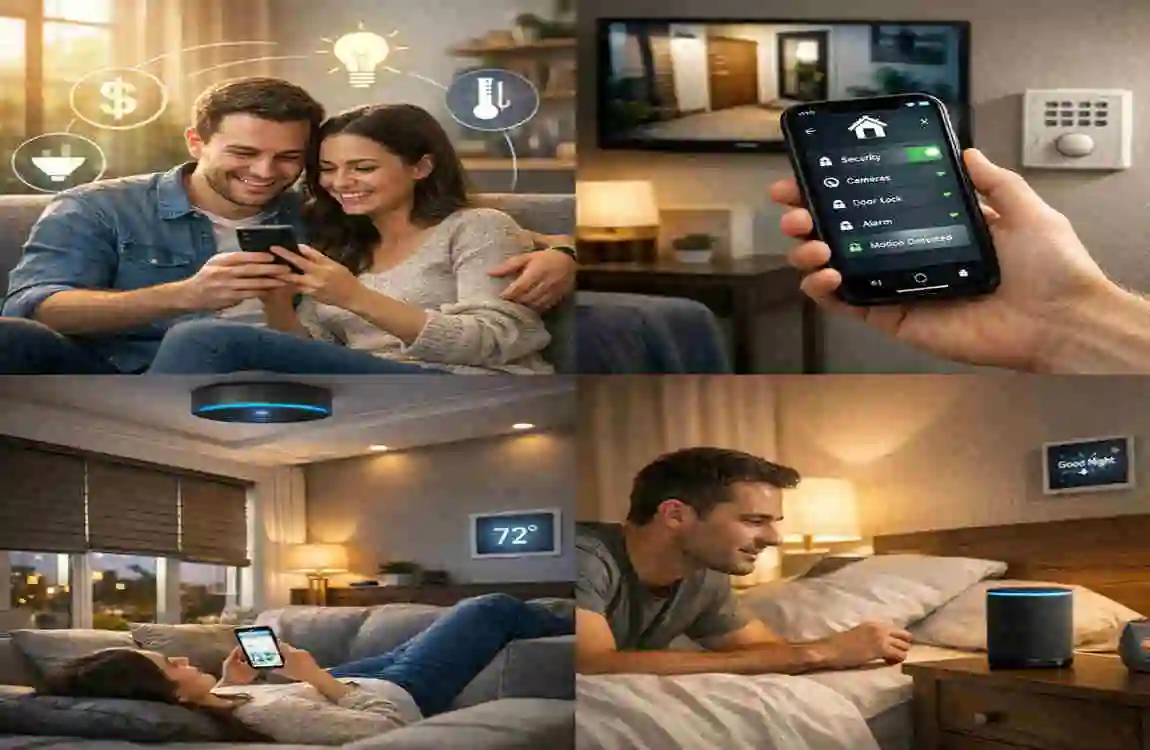
A smart home system is a group of connected devices that can talk to each other and respond to your commands. Some devices work through an app. Others use voice control. Many can also be automated, meaning they act on their own according to rules you create.
The heart of the system is usually a smart hub or a central app. This hub acts like the coordinator. It helps your lights, locks, cameras, sensors, and other devices work together instead of separately. Without that connection, each device may feel useful but limited.
What Makes a Smart Home Ecosystem?
A smart home ecosystem is the larger setup that includes devices, an app, a hub, and rules that tie everything together. Think of it as a small digital network inside your house. Once your devices are part of the same ecosystem, you can control many of them from one place.
For example, when you say, “Good night,” your system can turn off the lights, lock the doors, lower the thermostat, and switch on a security camera mode. That kind of smooth coordination is what makes smart homes so appealing.
Core Components You Should Know
The most common parts of a smart home system include:
- Smart hub or controller
- Smart lights and switches
- Smart locks
- Security cameras
- Thermostats
- Motion, door, and temperature sensors
- Smart speakers or voice assistants
Each part has a specific job. Lights help with comfort and energy use. Locks and cameras support security. Thermostats improve climate control. Sensors help your system respond to movement, open doors, or detect changes in temperature.
Types of Smart Home Systems
There are two main ways to build a smart home.
Fully integrated systems are designed to work together from the start. These setups are often easier to manage because all devices belong to the same ecosystem. They may cost more at first, but they usually create a smoother experience.
DIY smart setups are more flexible. You choose your own devices and connect them yourself. This approach is often more affordable and gives you more control over what you buy. It is a great option if you want to start small and build over time.
Popular Smart Home Ecosystems
Today, three major ecosystems stand out:
EcosystemBest ForMain StrengthPossible Limitation
Amazon Alexa People who want broad device support Works with many brands Can feel spread out if devices come from different companies
Google Home Users who like simple voice control and Google services Easy routines and strong voice support Some advanced device support may vary
Apple HomeKit Apple users who want tighter privacy and smoother integration Clean design and strong security Works best with Apple devices and approved accessories
Choosing the right ecosystem matters because it affects how easily your devices connect and how smoothly your home will run.
Planning Before Installation
Before you buy anything, you need a plan. This is one of the most important parts of learning how to install smart system at home successfully. A smart home works best when you choose devices based on real needs, not just excitement.
Assess Your Home Needs
Start by asking yourself what you want the system to do.
Do you want better security? Then cameras, door sensors, and smart locks should be a priority.
Do you want more lighting control? Then smart bulbs, switches, and motion sensors may be the right place to begin.
Do you want better climate control? Then a smart thermostat can make a big difference.
If you know your main goal, you can avoid wasting money on devices you do not need yet.
Set a Realistic Budget
A smart home system can be simple or advanced, depending on your budget. That is why it helps to decide how much you want to spend before shopping.
Start with the essentials first. Many people begin with a smart speaker, a few bulbs, and one or two security devices. After that, they add more pieces over time.
This step-by-step approach is easier on your wallet and easier to manage.
Wired vs Wireless Systems
Another choice you need to make is whether your system will be wired or wireless.
Wired systems are often more stable and may work better in larger homes or in setups that need stronger reliability. However, they usually take more time and skill to install.
Wireless systems are the most common choice for beginners. They are easier to install, easier to move, and often work well through mobile apps. If you want a simpler path, wireless is usually the better place to start.
Check Your Wi-Fi Strength
Your Wi-Fi is the backbone of your smart home. If your internet signal is weak, your devices may lag, disconnect, or respond slowly.
Walk through your home and check where the signal is strongest and weakest. If some rooms have poor coverage, consider improving your router placement or using a mesh network. A smart home should feel smooth, not frustrating.
Make Sure Devices Are Compatible
Compatibility is one of the most common problems people face. A device may look great online, but that does not mean it will work with your chosen ecosystem.
Before buying, check whether the product supports your hub or assistant. If you are using Alexa, Google Home, or Apple HomeKit, make sure your devices are listed as compatible with that system.
Mistakes to Avoid Before You Start
Many people rush into smart home installation and later regret it. Try to avoid these common mistakes:
- Buying devices before checking compatibility
- Ignoring Wi-Fi quality
- Starting with too many gadgets at once
- Choosing devices from too many different ecosystems
- Forgetting to plan where devices will be placed
A little planning now can save you a lot of time later.
Essential Equipment Needed
To build a smart home system, you need the right tools and devices. The exact list will depend on your goals, but these are the most common items.
Smart Hub or Voice Assistant
The smart hub is the center of your system. It connects your devices and helps them work together. In many homes, the hub is part of a voice assistant setup such as Alexa, Google Home, or Apple HomeKit.
Some systems use a physical hub. Others rely mostly on a phone app and cloud connection. Either way, this piece is usually the first thing you should set up.
Smart Speaker or Controller
A smart speaker makes voice control easy. You can ask it to turn on lights, play music, check the weather, or lock connected devices. Even if you prefer using an app, a smart speaker adds convenience.
Smart Bulbs and Switches
Smart bulbs let you control brightness, color, and timing. Smart switches replace standard wall switches and give you more direct control over lighting. These are some of the easiest and most useful devices to start with.
Smart Security Cameras
Cameras help you monitor entrances, outdoor spaces, and busy indoor areas. They can send alerts when motion is detected and help you check your home while you are away.
Smart Locks
Smart locks make entry and access easier. You can lock or unlock doors from your phone, use codes instead of keys, and receive notifications when someone enters.
Sensors
Sensors are small but powerful. They can detect motion, open doors and windows, and respond to temperature changes and more. These devices help your system respond automatically rather than waiting for you to notice something.
Reliable Internet and App Setup
You also need a strong internet connection and the correct mobile apps. Most smart devices need an app for setup, updates, and daily use. Without that, the system will not function properly.
Step-by-Step Guide: How to Install Smart System at Home
Now, let us move on to the practical part. This is the part where your plan becomes a working system. Follow these steps one by one to install everything in a calm, organized way.
Set Up Your Smart Hub
Start with the central system. Download the app for your chosen ecosystem, such as Amazon Alexa or Google Home. If you are using Apple devices, open the Home app on your iPhone or iPad.
Connect the hub or smart assistant to your Wi-Fi. Follow the app instructions carefully. You will usually need to sign in, choose your home name, and set your location. These settings matter because they help the system determine when to run routines such as sunset lighting or temperature changes.
Take a few minutes to explore the app. Get familiar with menus, device groups, and automation options. This will make the rest of the process much easier.
Install Smart Lighting System
Lighting is often the easiest place to begin. You can replace traditional bulbs with smart bulbs, or install smart switches to control existing light fixtures.
Once installed, connect the lights to the app. Give each one a clear name, such as “Kitchen Light” or “Bedroom Lamp.” This makes voice control much easier.
You can also create lighting groups. For example, you can group all living room lights. That way, you can turn them on or off with one command.
This is also a good time to create simple routines. You might set the lights to turn on in the evening and dim at bedtime.
Set Up Smart Security Devices
Security devices are the next important step. Place cameras at entry points, driveways, or areas you want to monitor. Make sure they have a clear view and are not blocked by furniture, plants, or walls.
If you are installing a smart lock, follow the manufacturer’s instructions carefully. Most smart locks replace the inside part of your door hardware while keeping the outside appearance simple.
Once devices are connected, turn on alerts. You may want notifications for motion, door activity, or unexpected access. This gives you faster awareness and more peace of mind.
Add a Smart Thermostat
If your home setup supports it, a smart thermostat can help reduce waste and improve comfort. These devices learn your habits and automatically adjust heating or cooling.
Install the thermostat according to the instructions for your HVAC system. Because this part may involve electrical wiring, some homeowners prefer professional help.
After installation, calibrate the temperature settings. Set your comfort level, schedule, and energy-saving preferences. Over time, your thermostat can help reduce bills while keeping your home pleasant.
Connect All Devices to One System
A smart home works best when devices are connected within a single ecosystem. Once your lights, locks, camera, thermostat, and sensors are installed, add them to the same app or hub.
This step gives you true control. You can build routines such as:
- Away mode: locks doors, turns off lights, and activates cameras
- Night mode: lowers lights, locks doors, and adjusts temperature
- Home arrival mode: turns on lights, opens selected features, and prepares the house for your return
These routines save time and reduce daily effort. Instead of managing each device one by one, your home starts doing the work for you.
Test the Entire System
Testing is the final step and very important. Do not skip it.
Check whether every device connects properly. Try voice commands if you use a smart speaker. Test routines and automation rules. Walk through the home and make sure the cameras, sensors, and locks respond as expected.
If something feels off, fix it now. It is much easier to adjust a setting during setup than after you are already depending on the system every day.
Smart Automation Setup
Smart automation is what turns a group of devices into a truly helpful home. Instead of waiting for manual input, automation lets your system react to time, motion, location, and other triggers.
What Smart Automation Means
Automation means that one action starts another without you having to do anything extra. For example, when the sun goes down, your porch light can turn on automatically. When you leave home, your door can lock itself. When you are back inside, your thermostat can return to your preferred temperature.
This is not just about convenience. It is also about building habits into your home so the system supports your lifestyle.
Examples of Helpful Automations
A few simple automations can make daily life easier:
- Lights turning on at sunset
- Front door locking after a certain time
- AC adjusting when no one is home
- Bedroom lights dimming at night
- Motion sensors turning on hallway lights when someone walks through
These small changes may seem minor, but together they create a much smoother living experience.
Setting Up Routines in Popular Systems
In Google Home, routines can be triggered by time, voice, or actions like leaving the house. In Apple HomeKit, you can create scenes and automations that respond to your presence, the time of day, or specific sensor changes.
The goal is not to build complicated rules right away. Start simple. Add more only when you understand how each part works.
Why Automation Helps Daily Life
Automation saves time. It also reduces forgotten tasks. You no longer need to wonder whether you locked the door or left a light on.
It can also help with energy use. Devices only run when needed. That means less waste and, in many cases, lower bills.
Common Installation Mistakes to Avoid
Even a good smart home setup can run into problems if the installation is rushed. Here are the mistakes you should watch out for.
Weak Wi-Fi Coverage
A weak signal causes delays, dropped connections, and unreliable performance. If your system depends on Wi-Fi, your home network must be strong enough to support it.
Mixing Incompatible Ecosystems
You can sometimes mix brands, but not all devices work smoothly together. If one device uses Alexa and another only works with a different platform, your setup may feel messy.
Overloading One Network
Too many devices on one weak router can slow everything down. If your home has many smart products, your network may need an upgrade.
Skipping Firmware Updates
Updates matter. They fix bugs, improve performance, and sometimes add security patches. If you ignore them, your system may not work as well as it should.
Poor Device Placement
Placement is especially important for cameras and sensors. A camera aimed too high or a motion sensor placed in the wrong area can miss important activity. Always think carefully about where each device should go.
Smart Home Security and Privacy Tips
A smart home is helpful, but it also needs protection. Because your devices connect to the internet, you should take privacy and security seriously.
Use Strong Passwords and Two-Factor Authentication
Never use weak or repeated passwords. Create strong, unique ones for your smart home accounts. If two-factor authentication is available, turn it on. It gives you an extra layer of safety.
Keep Firmware and Apps Updated
Updates protect your devices and improve their performance. Make it a habit to check for updates regularly.
Secure Your Wi-Fi Network
Your Wi-Fi router should have a strong password and proper security settings. If your network is easy to access, your smart devices may be exposed too.
Be Careful with Third-Party Integrations
Some external services or add-ons may promise convenience, but they can also create risk. Only use integrations that you trust and actually need.
Think About Voice Assistant Privacy
Voice assistants can be very useful, but they may also listen for wake words and store voice data. Review your privacy settings and adjust them based on your comfort level.
Cost Breakdown of Installing a Smart Home System
The cost of a smart home depends on what you buy, how many devices you install, and whether you do it yourself or hire help.
Basic Setup
A basic setup may include a smart speaker, a few smart bulbs, and a few sensors. This can be a good starting point for people who want to keep costs low.
Mid-Range Setup
A mid-range system often includes smart lighting, security cameras, a smart lock, and maybe a thermostat. This is where many homeowners begin to feel the full value of smart home living.
Advanced Smart Home
An advanced setup may include many connected rooms, multiple cameras, a full security system, climate automation, and more than one control point. These systems can cost much more, especially if professional installation is included.
What Affects the Price?
Several things affect how much you spend:
- Brand choice
- Number of devices
- Wired vs wireless setup
- DIY vs professional installation
- Features and advanced automation
If you want to save money, start with the most important devices first and expand over time.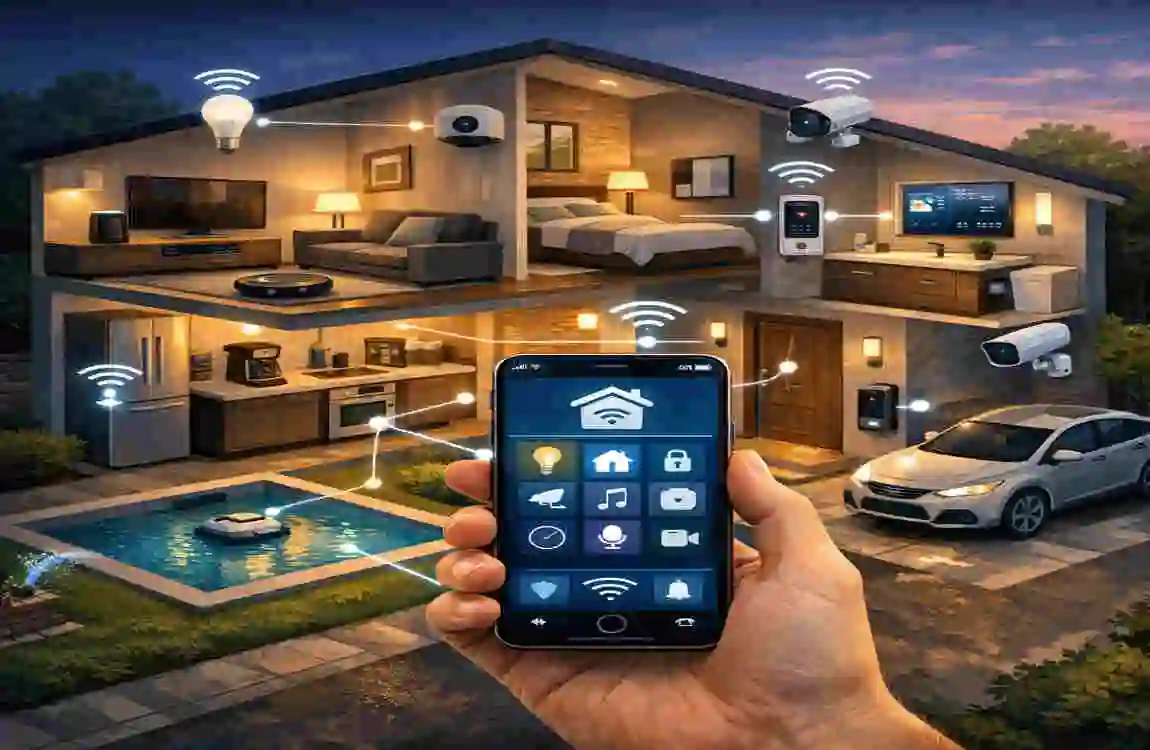
Benefits of Installing a Smart Home System
A smart home is not just about looking modern. It gives you real benefits that can improve your everyday life.
Energy Savings
Smart lights, thermostats, and automated schedules can reduce unnecessary energy use. Over time, that can help lower utility bills.
Better Home Security
Cameras, smart locks, motion sensors, and alerts help you keep an eye on your home. Even when you are away, you can still monitor what is happening.
Remote Convenience
You can control many things from your phone. That means you can adjust your home while sitting on the couch, at work, or on vacation.
More Comfort in Daily Life
A smart home removes small daily tasks. Lights, temperature, and door access become easier to manage, which makes your routine feel smoother.
Higher Property Appeal
In many cases, smart home features can make a house more attractive to buyers. Even if you are not planning to sell soon, this can still be a nice long-term benefit.
FAQs
Is it difficult to learn how to install smart system at home?
No, most systems are designed to be beginner-friendly. Many smart devices come with simple app instructions, and you can often set them up without professional help.
Do I need professional help?
Not always. Many wireless devices are easy to install yourself. However, if you are working with wired systems, electrical connections, or a complex home setup, professional help can be a smart choice.
Can I mix different smart brands?
Yes, you can often mix brands, but you need to check compatibility first. Some devices work well together across platforms, while others are limited to a specific ecosystem.
Which is the best smart home ecosystem?
There is no single best option for everyone. Amazon Alexa is great for broad compatibility, Google Home is simple and voice-friendly, and Apple HomeKit is ideal for people already using Apple devices.
Is smart home installation expensive?
It can be affordable or premium, depending on your choices. You can start with a basic setup and grow slowly, or invest in a larger system from the beginning.
| Step |
What to Do |
Key Tips |
| Plan Your System |
Decide which smart devices you need (lights, security, thermostat, speakers, etc.) |
Start small and expand later |
| Choose a Smart Hub |
Select a central system like Alexa, Google Home, or Apple HomeKit |
Make sure all devices are compatible |
| Check Wi-Fi Strength |
Ensure strong and stable internet coverage in your home |
Use a Wi-Fi extender if needed |
| Install Smart Devices |
Set up devices like smart bulbs, plugs, cameras, and sensors |
Follow manufacturer instructions carefully |
| Connect to App |
Download the system app and connect all devices |
Use the same Wi-Fi network for all devices |
| Automate Settings |
Create routines like “good morning” or “away mode” |
Use automation to save time and energy |
| Test the System |
Check if all devices respond properly |
Fix connection issues early |
| Secure Your Network |
Enable strong passwords and two-factor authentication |
Protect your smart home from hacking |